
Want to connect TradeLocker with PickMyTrade to automate your trades using TradingView alerts? This quick guide walks you through the entire process, step by step
Step 1: Log in to Your TradeLocker Account #
Use the appropriate link depending on whether you’re using a demo or live account:
- Demo Account: https://demo.tradelocker.com/en/auth/login
- Live Account: https://tradelocker.com
At the login screen, you’ll be asked to enter the following three details:
- Email – Your registered TradeLocker email address
- Password – Your TradeLocker account password
- Server – The server provided by your broker or proprietary trading firm
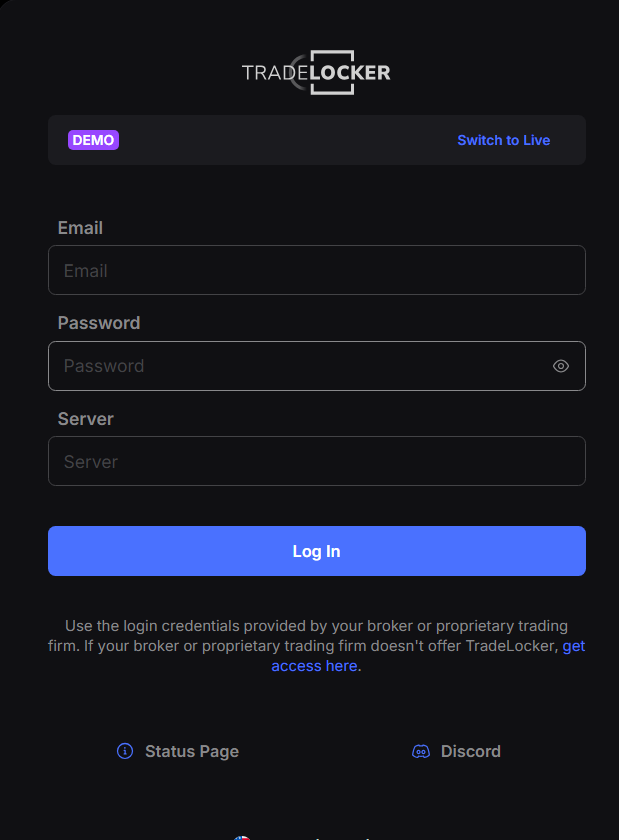
After entering all the required fields, click Log In. Once logged in, ensure you are on the main trading dashboard and the account is active.
Step 2: Access the PickMyTrade Dashboard #
- Visit https://pickmytrade.io and log in to your account.
- On the top-right of the page, click TradeLocker Connection.
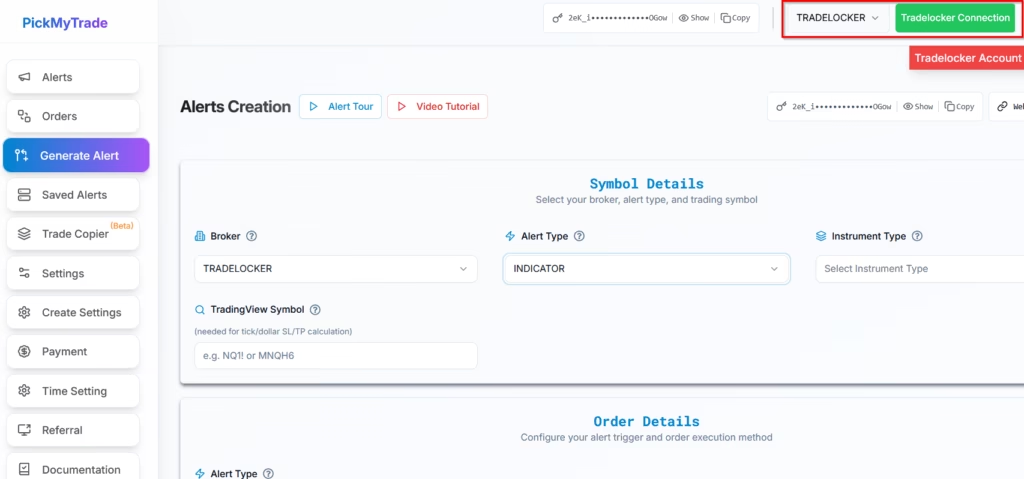
Step 3: Add a New TradeLocker Connection #
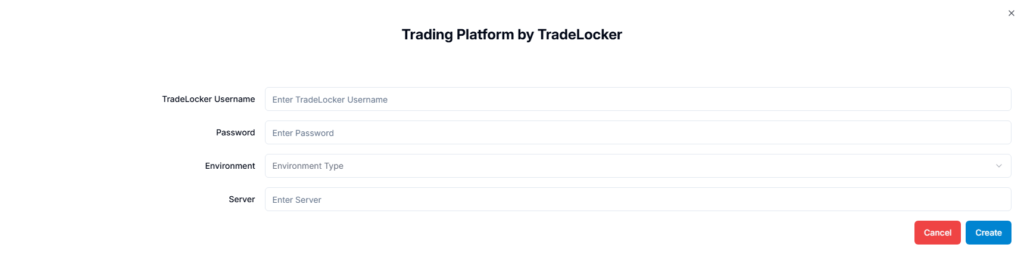
- In the popup window, click Add New Connection.
- Fill out the following fields:
- TradeLocker Username – This is typically the same as your email login.
- Password – Your TradeLocker login password.
- Environment – Select Demo or Live, depending on your account type.
- Server – Enter the server name exactly as it appears in your TradeLocker login panel.
- Click Create to establish the connection.

Notes #
If you’re unsure about your server name, refer to your TradeLocker login screen or contact your broker.
Ensure all login details and environment selection match your TradeLocker setup.
Incorrect credentials or mismatched environment settings will result in failed connection attempts.
Learn how to automate TradingView indicator alerts in TradeLocker or automate TradingView strategy alerts in TradeLocker using PickMyTrade.
More Resources #
Ready to connect TradeLocker?
See TradeLocker automation on pickmytrade.io
Last updated: September 30, 2026


