
Want to connect cTrader with PickMyTrade to automate your trades using TradingView alerts? This quick guide walks you through the entire process, step by step
Step 1: Access the PickMyTrade Dashboard #
- Visit https://pickmytrade.io and log in to your account.
- On the top-right of the page, click cTrader Connection.
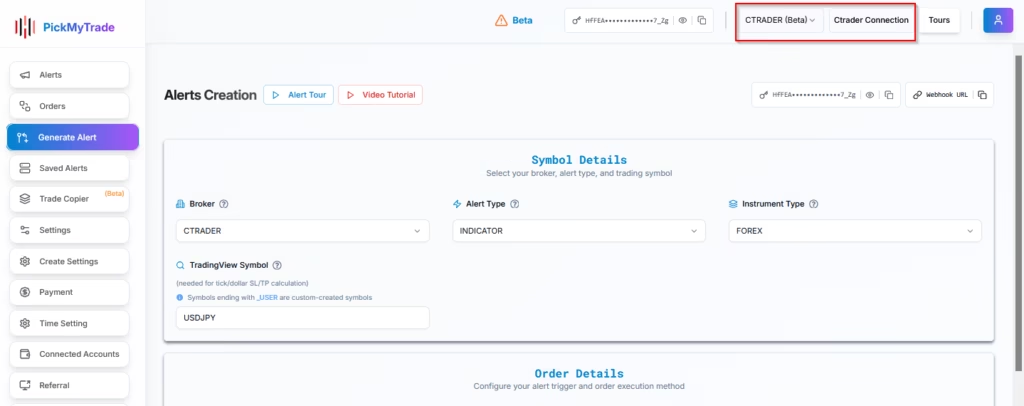
Step 2: Add a New Ctrader Connection #
In the popup window, click Add New Connection.
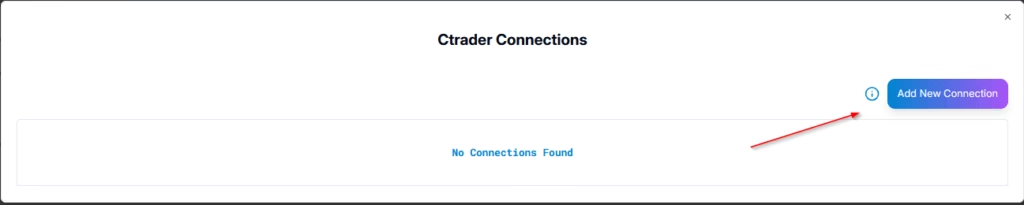
After clicking Add New Connection, you will be redirected to the cTrader login page.
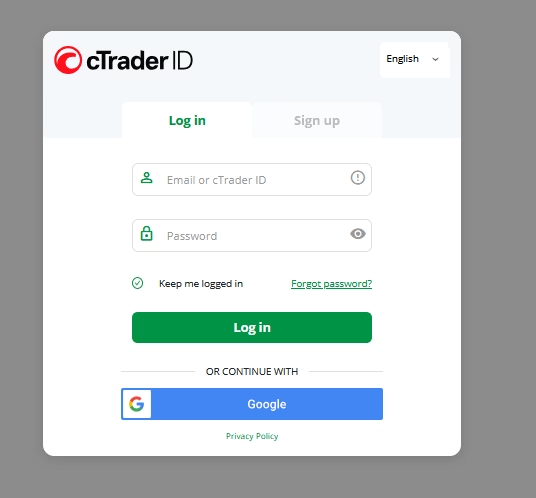
Log in to your cTrader Account
- Enter your cTrader ID or registered email address in the Email field.
- Enter your password in the Password field.
- Click Log in to continue.
Next, Your cTrader accounts will be displayed. Select the account you want to connect to PickMyTrade.
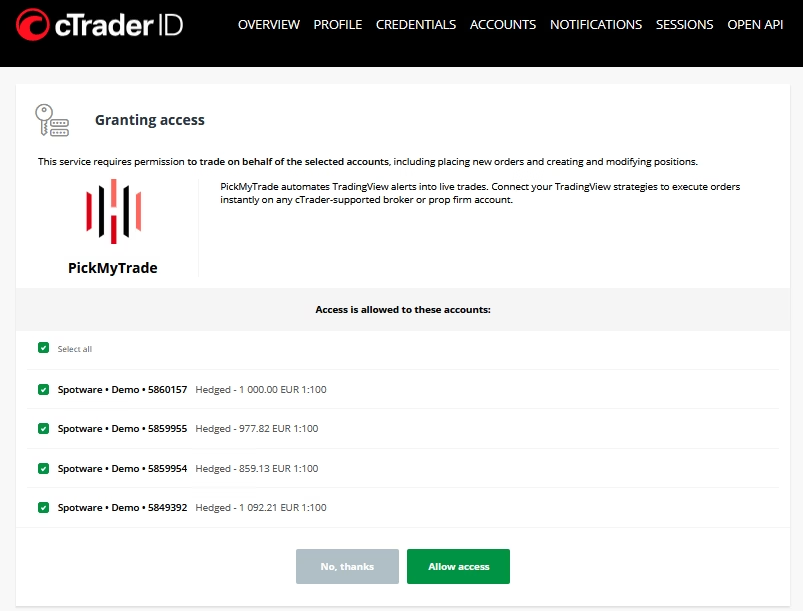
To complete the connection, click Grant Access. This authorizes PickMyTrade to securely access your selected cTrader account for automated trading.
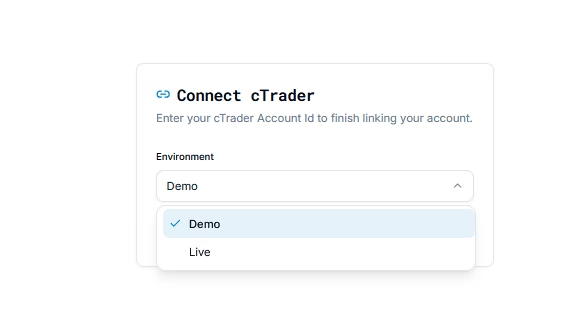
Step 3: Select the Environment #
From the Environment drop down, choose the type of account you want to connect:
- Demo – Select this option if you want to connect a cTrader demo account for testing or paper trading.
- Live – Select this option if you want to connect a live cTrader account for real-money trading.
Step 4 : Connection Successful #
You are now ready to:
- Generate TradingView alerts
- Automate trades on Ctrader using PickMyTrade
Step 5: Start Automated Trading #
Once your ctrader account is successfully connected to PickMyTrade, you can proceed to automate your trading strategies or indicator alerts.
For detailed guidance, refer to the following resources:
Automating TradingView Indicator Alerts in ctrader
Automating TradingView Strategy Alerts in ctrader
More Resources #
Want to automate trades on platforms beyond Rithmic, such as Interactive Brokers, TradeLocker, TradeStation, or ProjectX?
Explore all PickMyTrade setup guides
Using Tradovate instead?
View the Tradovate automation guide
Ready to connect cTrader?
See cTrader automation on pickmytrade.io
Connect your cTrader account to PickMyTrade so you can automate trades using TradingView alerts.
- Access the PickMyTrade dashboard
Visit pickmytrade.io, log in, and click “cTrader Connection” in the top right.
- Add a new connection
Click “Add New Connection”, then log in to your cTrader account with your email/ID and password.
- Grant access
Select the cTrader account you want to connect, then click “Grant Access” to authorize PickMyTrade.
- Select the environment
Choose Demo (for testing) or Live (for real-money trading) from the Environment dropdown.
Last updated: September 30, 2026


