
This guide shows how to connect Bybit with PickMyTrade to automate crypto futures trades using TradingView strategy or indicator alerts.
Step 1: Open PickMyTrade Dashboard #
Go to: pickmytrade.io
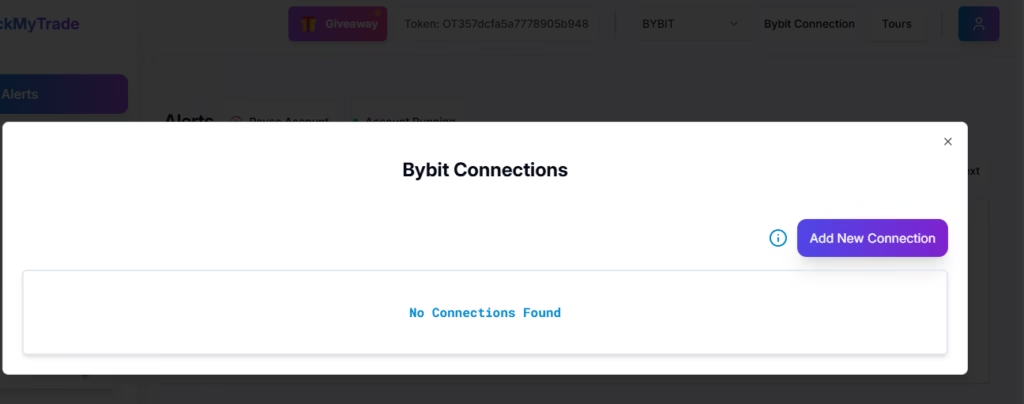
- Select Bybit
- Log in to your PickMyTrade account
- Click Connections
- Click Add Connection
Keep this tab open.
Step 2: Log In to Your Bybit Account #
Go to the Bybit login page: https://www.bybit.com
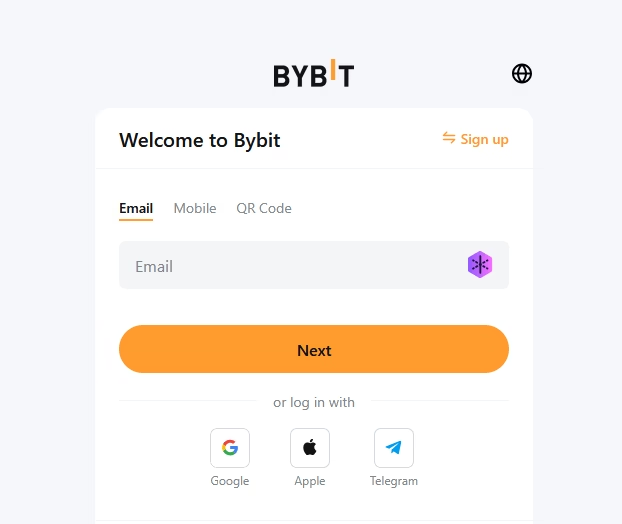
Log in using your registered email/phone and password.
Step 3: Open API Management #
After logging in:

- Click your profile icon (top-right)
- Select API or API Management
Step 4: Create a New API Key #
Inside API Management:
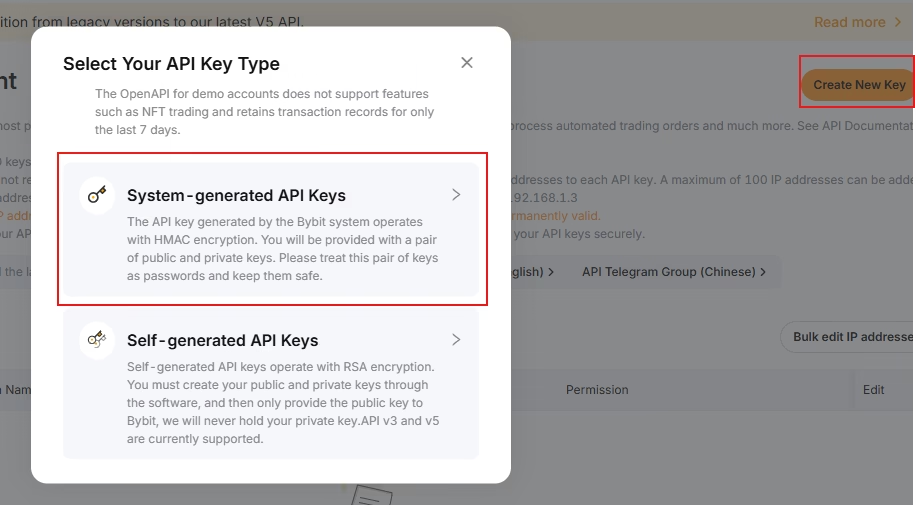
- Click Create New Key
- Choose System-generated API Key
You may be prompted for security verification.
Step 5: Complete Security Verification #
Bybit will request:
- Email verification code
- Google Authenticator / 2FA code
Enter the codes to proceed.
Step 6: API Key Configuration #
In the Create API screen:
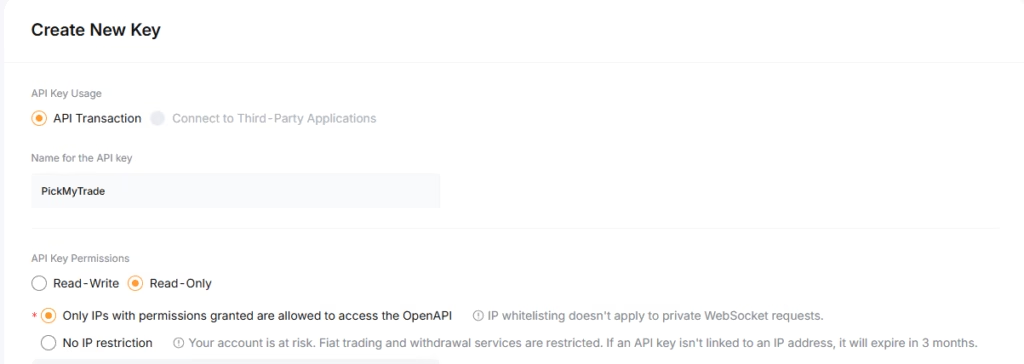
API Key Usage
- Select API Transaction
API Name
- Enter:
PickMyTrade
API Permissions
- Read-Only
- Only IPs with permissions granted are allowed to access the OpenAPI
Step 7: Restrict to Trusted IPs (Required) #
Enable IP restriction and paste the IPs exactly as shown below into the input box:
84.37.44.104,84.37.44.19,84.37.45.117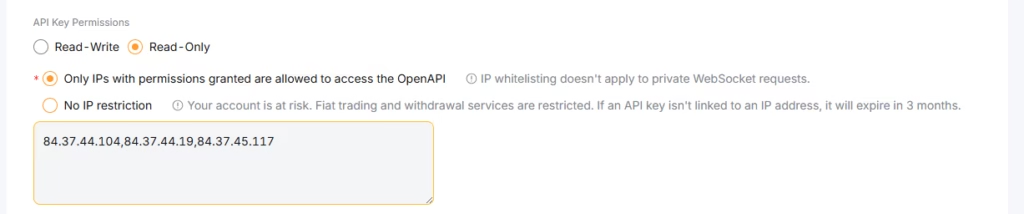
Reference table:
| Entry point | Port | Country | Assigned IP |
|---|---|---|---|
| ddc.oxylabs.io | 8001 | Singapore | 84.37.44.104 |
| ddc.oxylabs.io | 8002 | Singapore | 84.37.44.19 |
| ddc.oxylabs.io | 8003 | Singapore | 84.37.45.117 |
Step 8: Enable Trading Permissions #
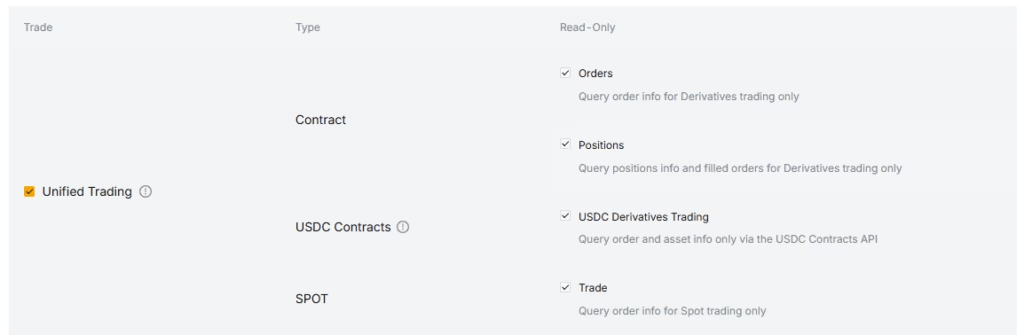
In the Trade section:
- Select Unified Trading
Click Submit.
Step 9: Save API Keys #
Your API is now created.
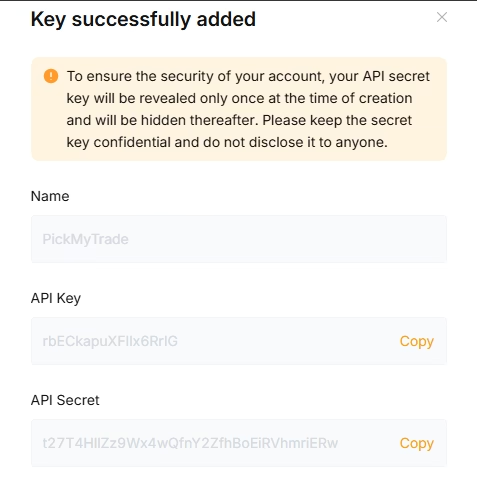
- Copy the API Key
- Copy the Secret Key
Store them safely (example: password manager or notepad). You will need them next.
Step 10: Connect API in PickMyTrade #
Go back to the PickMyTrade Connections popup.
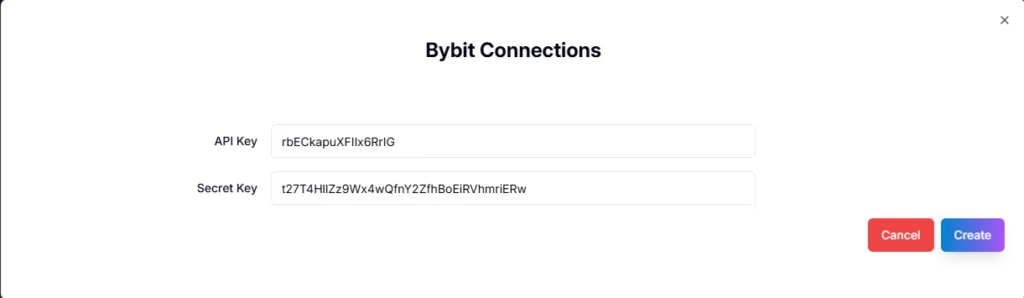
- Paste your API Key
- Paste your Secret Key
- Click Create
Step 11: Connection Successful #

When the connection button turns 🟢 Green, your Bybit account is successfully connected to PickMyTrade.
Step 12: Start Automated Trading #
You are now ready to:
- Generate TradingView alerts
- Automate futures trades on Bybit using PickMyTrade
Important Notes #
- Keep withdrawals disabled at all times
- Do not remove IP restrictions
- If you regenerate the API on Bybit, update it in PickMyTrade immediately


